Every great web app starts with an idea - but only the ones designed with clarity make it past the prototype stage. If you’ve wondered how to design a web app that users actually enjoy, the path is simpler than it looks once you break it into repeatable steps. Two quick reality checks to set the tone:
-
5 users can find up to about 85% of usability issues (Nielsen Norman Group).
-
A one-second delay can raise bounce risk by roughly a third, which means speed and clarity matter from day one.
This guide walks you through how to design a web app from scratch - from early wireframes to a working prototype - using proven UX principles and a practical, product-first approach.
What is Web App Design (and Why It’s More Than UI)?
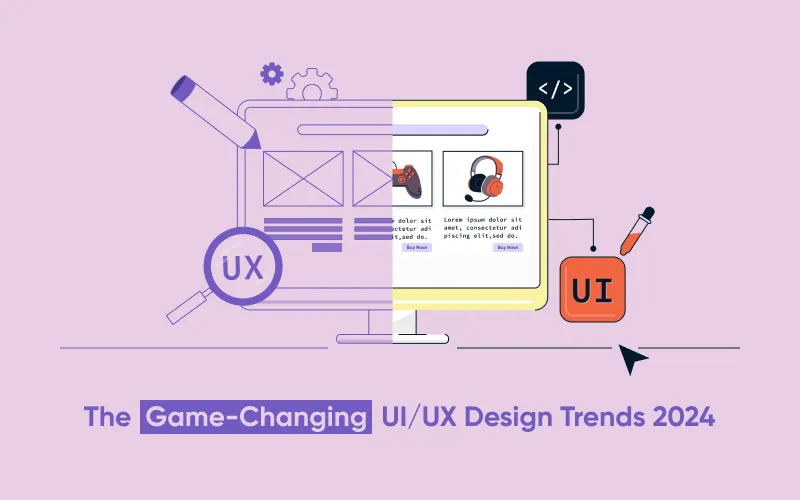
Web app design isn’t a single “visual phase.” It’s the full, strategic journey from defining business goals to delivering a testable, interactive prototype ready for development. When you ask how to design a web app, you’re really asking how to align customer value, business outcomes, and technical feasibility into a single, smooth experience.
Design turns intent into interaction. It’s architecture, not decoration. And the “architecture” covers what users want to do, where they expect to find it, and how fast they can succeed.
What Web App Design Actually Covers
A complete Web app design cycle includes both outcomes and artifacts:
Outcomes
-
Validated user flows that reduce friction
-
Defined KPIs tied to business goals
-
Optimized time-to-task and task success rate
-
Measurable UX performance and accessibility
Artifacts
-
Project brief and success criteria
-
Personas and scenarios
-
User flows and information architecture (IA)
-
Wireframes, design system, and clickable prototype
-
Usability test plan, findings, and priorities
Design is where logic meets creativity. If you want to know how to design a web app that ships on time, treat design as the blueprint for the product, not the paint on the walls.
Next, let’s see the full journey at a glance, so each step snaps into place.
How to Design a Web App: The Complete Step-by-Step Journey
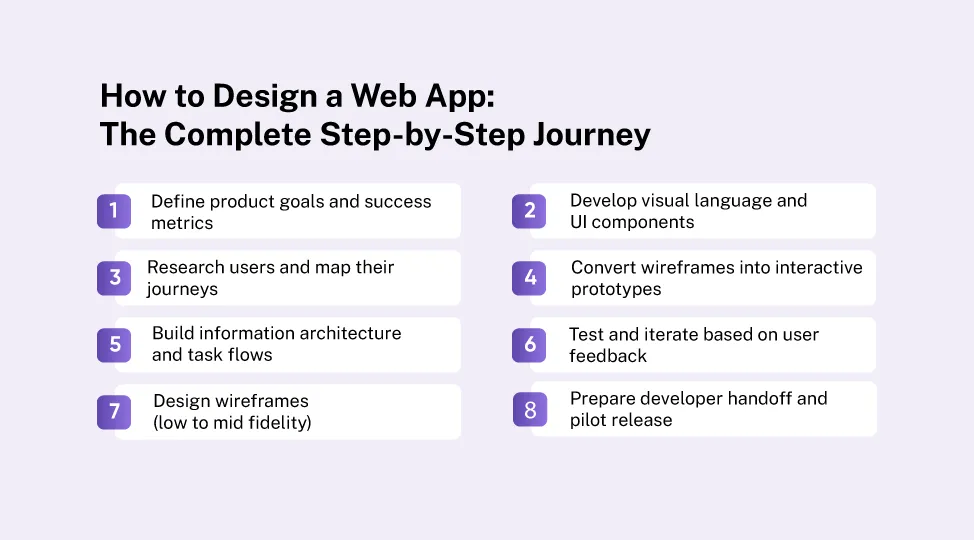
Before diving into details, here’s the roadmap professionals follow when deciding exactly how to design a web app that moves from idea to interaction:
-
Define product goals and success metrics
-
Research users and map their journeys
-
Build information architecture and task flows
-
Design wireframes (low to mid fidelity)
-
Develop visual language and UI components
-
Convert wireframes into interactive prototypes
-
Test and iterate based on user feedback
-
Prepare developer handoff and pilot release
Each step connects directly to the next, turning abstract ideas into tangible, testable outcomes.
Let’s unpack each step with clear actions you can follow today.
Step 1 - Define Product Goals, Constraints, and KPIs
A design without measurable goals is guesswork. If you want a reliable way for how to design a web app, start by stating why it must exist and how you’ll know it works.
Work the basics first
-
Business goals: revenue growth, retention, conversion rate
-
Scope decisions: MVP vs. V1 (use an Impact–Effort matrix to focus)
-
Target audience: primary and secondary segments
-
Constraints: compliance, integrations, performance budgets, device support
-
North-star metrics: task success rate, time-to-task, bounce rate, activation
Practical tips
-
Write one sentence that completes this frame:
“Users come here to ___, and success is ___ in under ___ seconds.”
-
Set guardrails early: establish a performance budget and accessibility goals.
-
Align stakeholders on one page. Sign it. Refer to it weekly.
Reminder: A one-second delay can significantly raise bounce risk. Prioritizing speed in Step 1 protects every decision that follows.
You’ve set direction. Now find real-world context to make those goals honest.
Step 2 - Research Users and Map Their Real Journeys
Design begins with empathy, not aesthetics. To master how to design a web app, watch real people attempt real tasks.
Quick Discovery Framework
-
Stakeholder interviews: 5–7 short conversations to learn context and constraints
-
User interviews: 6–12 sessions to reveal workflows and pain points
-
Behavioral evidence: analytics, session replays, support tickets, search logs
Key deliverables
-
Proto-personas: motivations, jobs to be done, success criteria
-
Journey maps: steps, emotions, pain points, moments of truth
-
Task priority list: what must be fast, intuitive, and delightful
Field notes that help later
-
Capture the exact words users use. You’ll reuse them as labels and microcopy.
-
Mark the “red lights” (errors, blockers) and “green lights” (quick wins).
-
Save video clips or quotes that clearly explain pain. They settle debates fast.
Insights in hand, it’s time to turn them into structure.
Step 3 - Structure Clarity: Information Architecture and Task Flows
Once insights are clear, structure them into logic. A good IA makes the app feel learnable from the first click. This is the mechanics behind how to design a web app people can navigate without thinking.
IA tools that work
-
Card sorting: define navigation and hierarchy with real users
-
Tree testing: validate findability before you draw screens
-
Content inventory: list what belongs on each page/state and why
Task flows to define early
-
Sign-up and onboarding
-
Primary value creation (e.g., create project, place order, publish)
-
Critical admin tasks (permissions, billing, data import/export)
-
Edge cases (empty states, errors, offline/slow network)
Write microcopy early
-
Replace Lorem Ipsum with real words.
-
Use short verbs first (“Add,” “Edit,” “Export,” “Invite”).
-
Explain errors with actions (“Try again” + what changed).
With the bones in place, screens can come to life without drift.
Step 4 - Design Wireframes for a Web App (Low to Mid Fidelity)
Wireframes are where ideas gain form. Keep them lean, real, and goal-driven. If you need a single habit to master how to design wireframes for a web app, it’s this: prove the flow before you polish the pixels.
Scope the right set
-
Map 6–10 key screens: home, dashboard, detail, edit/create, search, settings
-
Include edge states: empty, error, loading, permission denied
-
Define responsive rules: what collapses, stacks, or hides on narrow screens
Design principles
-
One clear goal per screen
-
Follow visual hierarchy: headline > primary action > secondary actions
-
Show system status: progress, autosave, loading skeletons
-
Use real text and real data ranges (dates, prices, sizes)
Review cadence
-
Share early drafts with 3–5 stakeholders
-
Align on goals, IA, and performance expectations
-
Decide what “good enough to prototype” means (and move on)
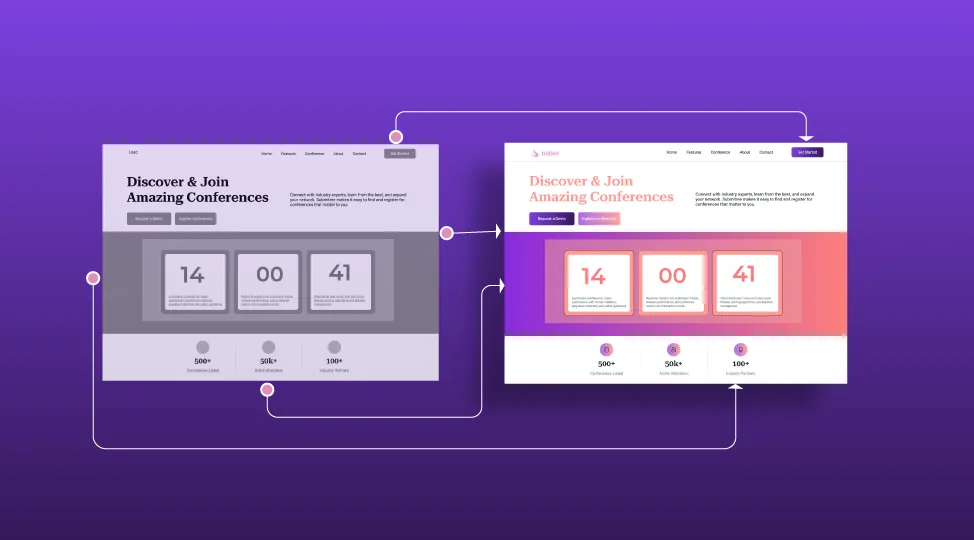
Wireframes vs. Mockups vs. Prototypes
| Element |
Purpose |
Fidelity |
Interaction |
When to Use |
| Wireframe |
Layout, structure, flow |
Low–Mid |
None/Basic |
Early alignment on logic and priorities |
| Mockup |
Visual design and branding |
High |
None |
Validate look and feel |
| Prototype |
Navigation + key interactions |
High |
Clickable |
Usability testing and stakeholder buy-in |
This step turns “what” into “where” and “in what order.” It’s a vital checkpoint in how to design a web app from scratch without over-engineering.
Ready for polish? It’s time to speak a consistent visual language.
Step 5 - Build a Cohesive Visual Language and UI Components
Your design language defines brand consistency and development speed. When teams ask how to design a web app that scales, the answer often lies in a small set of reusable parts.
Start with design tokens
-
Colors (text, background, states)
-
Typography (headings, body, code)
-
Spacing, radii, shadows
-
Motion guidelines (durations, easing)
Build core components
-
Buttons, inputs, selects, toggles
-
Lists, tables, filters, pagination
-
Banners, toasts, inline validation
-
Navigation bars, tabs, side panels, modals
Define every state
-
Default, hover, focus, active, disabled, error, success
-
Loading skeletons and empty states
-
Keyboard and screen-reader behavior
Accessibility must-haves
-
Color contrast that meets WCAG
-
Focus order that follows the task
-
Labels and roles for assistive tech
Practical payoff
-
Developers ship faster with fewer bugs
-
Designers spend time on problems, not pixels
-
Users experience less inconsistency and confusion
If you don’t have an in-house front-end team, partnering with a specialist can help you scale components cleanly. Consider expert Frontend Development Services to turn your system into reliable, production-ready code.
With the language set, it’s time to make your app feel alive.
Step 6 - From Wireframes to Interactive Prototype
Now convert static screens into a clickable flow that feels close to real. This is where how to design a web app shifts from layouts to lived experience.
Prototype the “money screens” first
Add honest micro-interactions
-
Real-time form validation
-
Hover and active states on all major actions
-
Empty and loading placeholders
-
Feedback for every change (added, saved, failed)
Keep it realistic
-
Use believable data (dates, prices, counts)
-
Model slow network with loading states
-
Include error paths users are likely to hit
Prototype handoff checklist
-
Clear navigation between primary tasks
-
Documented assumptions and open questions
-
Notes for performance and accessibility
A good prototype makes it obvious how to design a web app that actually works before you write a line of production code.
Next comes the most valuable step of all: testing with real people.
Step 7 - Test, Measure, and Iterate
Usability testing validates design assumptions early, when changes are cheap. If you’re serious about how to design a web app, bake testing into your schedule - not as a final exam but as a weekly habit.
Run short usability sprints
Measure what matters
-
Task success rate
-
Time on task and number of steps
-
Error count and where they occurred
-
User satisfaction (quick rating per task)
Prioritize changes
-
Fix blockers first (can’t complete task)
-
Remove unnecessary steps
-
Clarify labels and actions users misread
-
Tighten performance where users hesitate
Lean on data and augmentation
-
Pair qualitative notes with analytics events
-
Use heatmaps or session replays to confirm patterns
-
Consider lightweight AI-assisted insights for clustering feedback and spotting repeated friction points - specialist AI Development Services can help you set this up responsibly.
Each round sharpens the path from intent to success. This is the engine of how to design a web app from scratch that people trust on the first try.
Once the prototype earns a pass, you’re ready to formalize delivery.
Step 8 - Finalize and Handoff to Developers
Treat handoff as co-creation, not a file drop. The smoother this phase is, the faster you’ll learn from a real pilot.
Developer-ready package
-
Annotated screens and flows
-
Component specs and accessibility notes
-
Copy and content strings in one place
-
Event tracking plan (what to log, why, where)
-
Performance budgets (e.g., key pages < 3 seconds on baseline devices)
Ways of working that help
-
Design QA checklists tied to critical flows
-
Shared backlog for tweaks discovered during build
-
Weekly “flow reviews” across design, dev, and QA
-
One owner for performance and a11y sign-off
If your stack is growing, or you’re wiring complex APIs and data pipelines, a partner offering Backend Development Services can ensure your performance budgets and data models hold up in production.
Recommended “pilot” approach
-
Soft-launch to a small segment
-
Measure: activation, time-to-value, support tickets
-
Fix rough edges fast, then widen access
A thoughtful handoff answers not just how to design a web app, but how to build one that behaves exactly as promised.
Even the best teams stumble. Here’s how to avoid the common traps.
UX Reality Check - Common Pitfalls and How to Avoid Them
When teams skip steps, problems multiply. Use this checklist to keep momentum.
Pitfall: Ignoring empty and error states
Fix: Define every state in wireframes and prototype them
Pitfall: Over-designing visuals before validation
Fix: Prove flows first, beautify later
Pitfall: Confusing pages with tasks
Fix: Map user goals, then structure screens around outcomes
Pitfall: Skipping performance budgets
Fix: Set load targets in Step 1 and measure them in Step 7 and Step 8
Pitfall: No shared language between design and development
Fix: Use a living design system and collaborate early on component APIs
Pitfall: Delayed analytics and event tracking
Fix: Define events and dashboards before the pilot
If you’re choosing a Web app development company to partner with, look for teams that demonstrate this discipline: clear goals, testable prototypes, and measurable improvements between each build.
Now, let’s give you a compact reference you can reuse across projects.
Quick Reference: The Design-to-Prototype Playbook
| Step |
Inputs You Need |
What You Produce |
Who’s Involved |
Notes That Speed Things Up |
| 1. Goals & KPIs |
Vision, constraints, metrics |
Signed brief, performance budget |
Product, design, tech lead |
One page everyone agrees to |
| 2. Research |
Interviews, analytics, support logs |
Personas, journeys, task priorities |
Design, PM, support |
Record patterns and exact quotes |
| 3. IA & Flows |
Prioritized tasks |
Sitemap, task flows, microcopy |
Design, PM |
Validate findability with tree tests |
| 4. Wireframes |
IA, flows, microcopy |
Low–mid fidelity screens & states |
Design, stakeholders |
Use real text, include empty/error states |
| 5. Visual System |
Brand, tokens |
Components, states, accessibility rules |
Design, front-end |
Start small, document states |
| 6. Prototype |
Key screens |
Clickable flow with micro-interactions |
Design, PM, stakeholders |
Prototype money screens first |
| 7. Testing |
Prototype, tasks |
Findings, priorities, fixes |
Design, PM, QA, data |
5–7 users per round is enough |
| 8. Handoff & Pilot |
Finalized designs |
Specs, copy, events, QA checklist |
Design, dev, QA |
Weekly flow reviews reduce rework |
Keep this table handy when explaining how to design a web app to your team. It shows the exact inputs, outputs, and owners at each stage.
When to Bring in Specialists (And Why It Helps)
You can handle much of this process with a small team, but outside help accelerates key phases:
-
Discovery and IA audits: fresh eyes spot gaps and jargon
-
Component systems: experts encode design logic into durable code
-
Performance and security: backend specialists prevent costly rework
-
Pilot analytics: instrumentation that actually answers business questions
Final Word: Design is the Blueprint of Success
Design isn’t how your app looks - it’s how it works, performs, and scales. If you’ve been searching for how to design a web app that turns ideas into results, remember the rhythm:
-
Set goals you can measure
-
Map real journeys and structure them clearly
-
Wireframe for flows, not decoration
-
Prototype the money screens and test early
-
Hand off with shared components, specs, and budgets
-
Pilot, measure, improve - then repeat
From wireframes to working prototypes, each decision defines usability, speed, and ROI. At Quokka Labs, every web app design follows a rapid validation cycle - turning strategy into testable outcomes in days, not weeks. That’s how to design a web app with confidence, clarity, and momentum.
Ready to Bring Your Web App to Life?
Quokka Labs transforms your wireframes into powerful, production-ready experiences. From design sprints to development handoff, we build digital products that convert.
Explore Web app development services and start your roadmap today.

Tags
App prototype
Design wireframes
App frameworks
Web app design
web app


 Facebook
 Twitter
 LinkedIn
 Pinterest