If your team lives in spreadsheets, copies data between tools, or fights with rigid SaaS limits, you have already outgrown off-the-shelf software.
You feel it every day: duplicate work, confusing logins, manual reports, and workarounds that no one trusts.
Here is the real picture:
- Companies that move to custom solutions report around 35% higher operational efficiency and up to 20% higher revenue growth over three years (Technostacks).
- When a page load jumps from 1 to 3 seconds, the chance that a user bounces can rise by about 32% (Think with Google).
In 2026, the right web application features are not just a tech checklist. They shape how fast your teams work, how smoothly customers move through your flows, and how easily you can change direction when the market shifts.
Generic SaaS and template-based tools are great for starting. But as you grow, their limits show up as:
- Hidden costs from manual work and patchy integrations
- Training time on cluttered, one-size-fits-all interfaces
- Licensing creep as you bolt on extra tools for every new use case
A custom web app flips that model. The features match your workflows, roles, data, and security needs. You own the roadmap. You decide which integrations matter and which modern capabilities to roll out now versus later.
In this guide, we will cover:
- The 11 must-have web application features for modern enterprises in 2026
- How to prioritize features for your team
- How to plan and build with an experienced web application development partner
What is a Custom Web Application? (And When Do You Need One?)
A custom web application is not a marketing website and not a generic SaaS account with a few settings.
It is a browser based system built around your exact workflows, users, data, and rules. Think:
-
Internal portals for operations, finance, HR, or logistics
-
B2B partner portals, vendor dashboards, or customer self service apps
-
Product platforms where your web app is the core of your business
How it differs from other tools
Marketing website
- Goal: attract and inform visitors
- Simple content, static pages, forms
- Limited logic and minimal data workflows
Generic SaaS product
- Fixed feature set shared by thousands of customers
- Configuration but limited deep customization
- You adapt your workflow to the tool
Custom web application
- Built for your specific processes and roles
- Flexible data models and business logic
- Deep connections into your systems and stack
Only about 7% of organizations run only off the shelf software, and only 10% use only custom software. Most mix both, but the more complex parts of the business tend to lean on custom tools.
When it is time to go custom?
You should seriously consider a custom web app when:
- You run complex, multi step workflows or approval chains
- You have multiple user roles such as staff, managers, partners, and customers
- You depend on deep integrations with CRM, ERP, legacy systems, or AI services
- You work in compliance heavy industries like finance, healthcare, or public sector
- You need to stay ahead of enterprise web app trends and cannot wait for SaaS vendors to add key features
Why going custom is a competitive move?
Done right, custom web app features give you:
- Faster and more accurate processes
- Less manual data entry and fewer errors
- Tailored UX that cuts training time
- Ownership of your roadmap and your data
- Freedom from vendor lock in
If you are still deciding whether now is the right time, your internal architects or your trusted web application development partner can map typical use cases, reference architectures, and costs for you before you commit.
11 Essential Web Application Features Every Modern Custom Web App Should Include
This section is your checklist of Web application features for 2026. Use it as a feature map when you plan your MVP and later phases.
1. Responsive, Mobile First Design
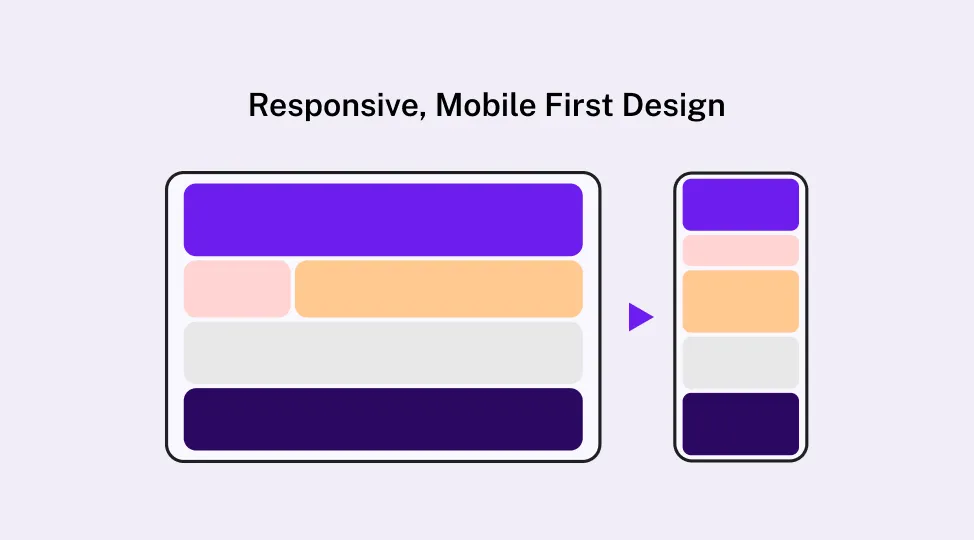
Your users are not sitting at desks all day. Field teams, sales reps, service staff, and executives rely on phones and tablets to get work done.
Core Web application features here:
- Layouts that adapt smoothly from desktop to tablet to mobile
- Touch friendly buttons, forms, and table interactions
- Pages that stay usable on slower mobile networks
Why it matters:
- Field staff can log updates in real time, not at the end of the day
- Sales teams can demo and update opportunities on the go
- For public facing apps, mobile first design supports SEO and discoverability
When you review Web app features with your team, always test on mobile first. If it feels painful on a phone, it will slow your business.
2. Intuitive, Task Based UI and UX
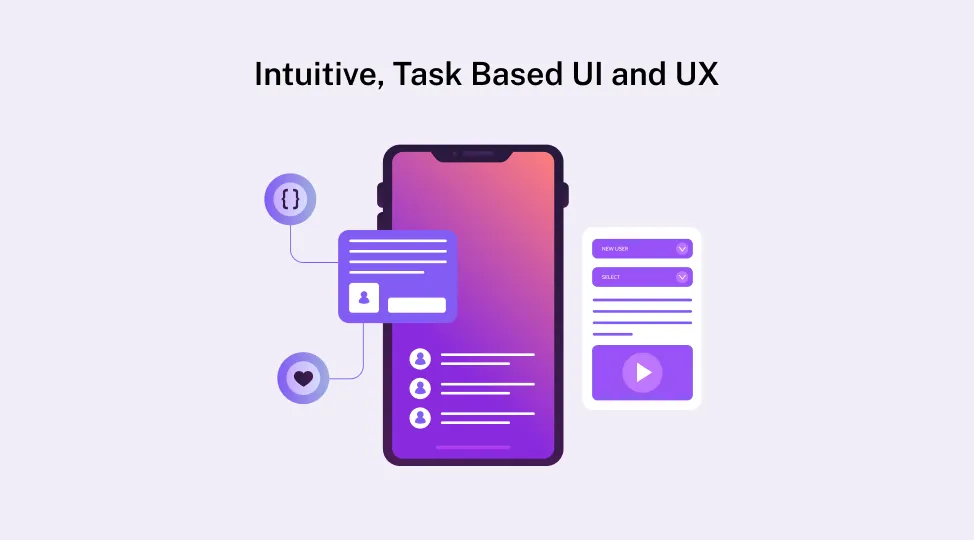
People do not want “more features”. They want to finish tasks faster with fewer clicks.
Task based UX is one of the most important must-have web app features. It means:
- Dashboards that show the most important tasks first
- Clear navigation and simple information hierarchy
- Short, guided flows for common jobs such as approvals or ticket updates
Practical UX tips for modern web app functionalities:
- Use consistent patterns for forms, tables, and filters
- Add in app help, tooltips, and short onboarding tours
- Handle empty states and errors with clear, friendly messages
- Keep visual noise low so users focus on what matters
Good UX cuts onboarding time, reduces support tickets, and boosts adoption. That is how Web application features move from “nice” to “essential”.
3. Robust Security, Compliance and Governance
Security is now a core part of Web application features, not a separate project.
Key building blocks:
- SSL or TLS everywhere and secure session handling
- Encryption at rest for sensitive data
- Multi Factor Authentication (MFA) and Role Based Access Control (RBAC)
- Strong password policies and optional Single Sign On
Governance and compliance in your Web app features:
- Align with OWASP top 10 best practices
- Map requirements for HIPAA, PCI DSS, GDPR, or other regional regulations
- Keep detailed audit logs of sensitive actions such as data exports, approvals, and permission changes
Operational practices:
- Regular security reviews and penetration testing
- Automated vulnerability scanning
- Documented incident response plans
If your custom web app features include finance or health data, this section is not optional. It is the foundation of trust.
4. High Performance and Fast Load Times
Speed is one of the most visible Web application features. Users will not wait.
Research from Google and others shows that when webpage loading time increases from 1 to 3 seconds, bounce probability can jump by more than 30%, and longer delays can cut conversions by 7% to 20% or more. Think with Google
Performance levers to build into your Web app features:
- Smart caching strategy on both client and server
- CDNs for static assets
- Image compression and minified assets
- Lazy loading for heavy components
Add observability so you can see issues before users complain:
- Real time performance monitoring
- Error tracking across front end and back end
- Uptime dashboards and alerts
A fast, stable app supports every other Web application feature you ship.
5. Scalability and Future Ready Architecture
You do not build for today only. You build for where your product will be in two to five years.
Scalability means your Web application features can handle:
- More users and traffic
- Larger data volumes
- New modules and integrations
Architectural patterns that support modern Web app features:
- Modular monolith or microservices where it makes sense
- Clear separation of concerns (API layer, business logic, presentation)
- Well defined REST or GraphQL APIs for internal and external use
Cloud and DevOps practices:
- Automated CI or CD pipelines
- Automated tests for critical flows
- Auto scaling infrastructure and proper monitoring
You also need to track enterprise web app trends such as containerization, serverless components, and event driven systems. These make it easier to extend your custom web app features later without big rewrites.
6. User Management, Roles and Permissions
In almost every custom app, not all users are equal. That is why user management is one of the core Web application features.
Design for:
- Clear roles such as admin, manager, staff, partner, and customer
- Fine grained permissions by role, department, region, or tenant
- Easy ways to invite users, revoke access, and manage groups
For multi tenant B2B apps, Web app features should include:
- Isolation of each client’s data
- Tenant specific settings, branding, and limits
- Admin views that let you support clients without seeing sensitive data
Self service options reduce IT overhead:
- Password resets and MFA management
- Profile and preference updates
- Automated user provisioning and de provisioning flows
When user management is done well, your Web application features stay secure and pleasant to operate.
7. Data Analytics and Reporting Dashboards
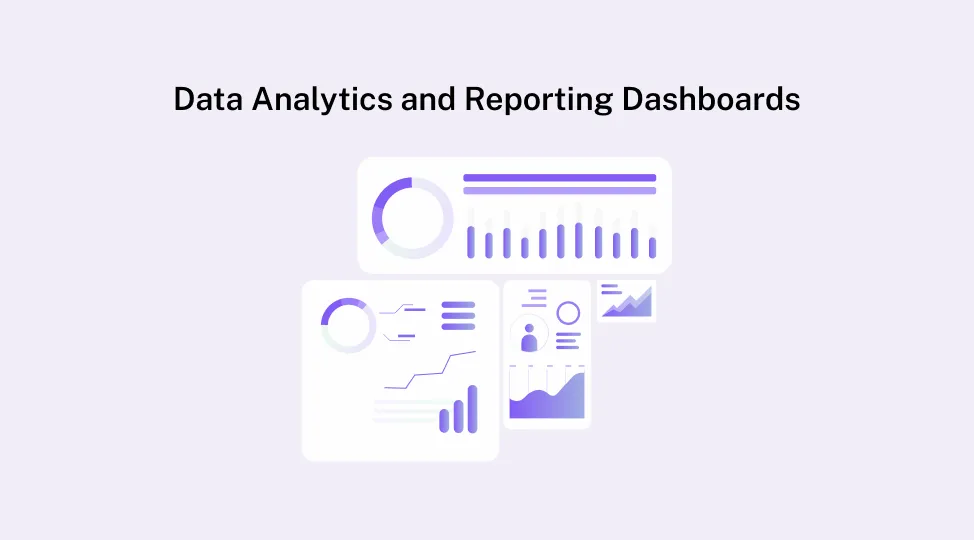
If you cannot measure it, you cannot improve it.
Analytics are not “extra” Web app features. They are core modern web app functionalities that help you:
- Track how users move through flows
- See where tasks get stuck
- Monitor error rates and system health
- Watch business KPIs such as orders, tickets, revenue, or usage
Useful reporting layers:
- Operational dashboards for real time status
- Management reports for weekly or monthly reviews
- Export tools or direct connections to BI platforms
These Web application features give you visibility into ROI and help you decide where to invest next.
8. API First Integrations
No custom web app lives alone.
An API first mindset turns integrations into a strong Web application feature instead of a last minute add on.
Common integration targets:
- CRM and marketing automation tools
- ERP, inventory, and accounting systems
- HRMS and payroll tools
- Payment gateways and billing systems
- Notification services for email, SMS, and push
- AI and ML APIs
Patterns to use:
- REST or GraphQL APIs
- Webhooks for event based updates
- Message queues for heavy or async workloads
When you design Web app features with API first thinking, you avoid data silos, cut manual entry, and keep a single source of truth across systems.
9. Customizable Workflows and Business Logic
One of the biggest reasons to go custom is to design around your real process, not a generic template.
Examples of custom web app features here:
- Approval workflows for leave, purchasing, and contracts
- Ticketing and escalation rules for support teams
- Internal request flows for IT, HR, finance, and facilities
- Compliance checks and exception handling built into flows
Benefits of customizable workflows:
- Shorter process cycles and fewer email chains
- Clear accountability and visibility
- Better audit trails and compliance
This is where your must-have web app features should mirror your actual operations.
10. Accessibility and Inclusive Design (WCAG Aligned)
Accessibility is not only a legal requirement in many regions. It is good product design.
Accessibility oriented Web application features should follow WCAG guidelines:
- Proper color contrast and readable font sizes
- Keyboard navigation for all common flows
- Semantic HTML for structure and meaning
- Clearly labeled inputs and descriptive error messages
Practical touches:
- Alt text for images
- Visible focus states
- Screen reader friendly layouts
These Web app features make your product usable for more people and usually improve the experience for everyone. They also reduce legal and compliance risk.
11. Advanced and Industry Specific Capabilities
Once the foundations are solid, you can layer on advanced Web application features that match your industry.
Advanced modern web app functionalities:
- Real time experiences
- Live dashboards
- In app notifications
- Presence indicators and chat
Personalization:
- Saved views and filters
- Smart defaults based on user behavior
- Contextual suggestions and recommendations
AI and ML powered features:
- Predictive analytics for churn, demand, or risk
- Intelligent routing for tickets and leads
- Automation for document classification and anomaly detection
If you are exploring AI features such as these, it can help to work with a specialist generative AI development services partner to design your models, data flows, and guardrails.
Industry specific modules:
E commerce
- Secure checkout and multiple payment options
- Inventory sync and order tracking
- Promotion and discount engines
- SEO ready product pages
Healthcare
- Appointment scheduling and reminders
- Secure messaging between patients and clinicians
- EMR friendly workflows
- Strict access controls and HIPAA grade audit logs
Finance
- Approval chains for payments and credit decisions
- Reconciliation tools
- Regulator friendly reporting
- Strong audit and access trails
Internal enterprise portals
- Document management and knowledge bases
- Internal news feed and announcements
- SSO integration
- Social features like comments and reactions
Use these as a menu of Web app features to pick from once your foundation is stable.
How to Prioritize Features for Your Custom Web Application
You cannot ship everything at once. Prioritization keeps your project realistic.
1. Start with the foundations
Some Web application features are non negotiable:
- UX and usability
- Security and compliance
- Performance and scalability
- Basic analytics
Without these, advanced Web app features will not matter because users will not stay.
2. Map features to real users and tasks
Talk to the people who will use the app every day. For each role, capture:
- Top 3 to 5 tasks they do most often
- Biggest pain points today
- Metrics that define success for them
Then map must-have web app features to those pain points.
3. Use an MVP plus iterative approach
You can think in three phases:
-
Phase 1: Core workflows and foundations
Authentication, roles, core screens, and basic reporting
-
Phase 2: Integrations and deeper analytics
Connect CRM, ERP, or other systems
-
Phase 3: Advanced AI and industry specific modules
Real time features, personalization, and domain specific capabilities
A simple impact vs effort table can help:
| Priority level |
Impact on business |
Effort / complexity |
Examples |
| High priority |
High |
Low to medium |
Core workflows, basic dashboards |
| Strategic |
High |
High |
Complex integrations, multi tenant logic |
| Quick wins |
Medium |
Low |
Small UX tweaks, saved filters |
| Later phase |
Medium to low |
Medium to high |
Advanced AI, niche reports |
Focus on the top left first.
4. Balance budget and complexity
Not every shiny idea fits into version one. Ask for each feature:
- Does it fix a major bottleneck
- Does it reduce risk or compliance exposure
- Does it strongly support current enterprise web app trends for your industry
If not, park it for later.
5. When to bring in an expert team
Bring in an experienced web app development company like Quokka Labs when you need:
- Validation of your architecture and security approach
- A realistic roadmap with milestones and timelines
- Guidance on tech stack and deployment strategies
An expert team can help you keep web application features aligned with your long-term vision.
Common Mistakes to Avoid in Custom Web App Projects
Even strong teams fall into these traps.
Jumping into advanced features too early
- Real time dashboards and AI are exciting
- But if performance and reliability are weak, users will not care
Ignoring integrations until late
- Leads to brittle workarounds and rushed APIs
- Causes rework and launch delays
Skipping accessibility and UX research
- Results in low adoption and heavy training needs
- Generates ongoing complaints and support tickets
Not planning for scale and change
- Tight coupling between modules
- No clear environments for dev, stage, and prod
- Little or no logging and monitoring
Underestimating security and governance
- Weak authentication and missing audit logs
- No formal review of compliance requirements
Use your Web app features checklist as a guardrail against these mistakes.
Final Snippets - How Quokka Labs Builds Secure, Scalable Custom Web Applications
All 11 Web application features we covered work together. They are not separate add ons. When you combine strong UX, security, performance, and integrations, your web app becomes a real growth engine.
If you want help designing advanced AI functionality or long term data strategy for your product, Quokka Labs’s Generative AI consulting services can help to shape use cases, models, and safety guidelines.
Ready to plan your custom web app?
If you are already feeling the limits of generic tools, this is a good time to explore a custom path with our Web Application development services.
Share your requirements, and we will develop a feature wise roadmap for your custom web application, including timelines, costs, and tech stack recommendations. From core workflows to advanced Web application features, you get a clear, practical plan to move from idea to launch.
Tags
enterprise
modern web app
custom web app
Web app features


 Facebook
 Twitter
 LinkedIn
 Pinterest