Key takeaways:
- AI-native vs AI-enabled: AI-native software integrates intelligence into core workflows, while AI-enabled software adds AI capabilities to existing applications.
- Architecture and scalability: Both approaches can scale effectively with independent AI workloads, controlled integrations, and reliable failure recovery.
- Hidden risks: Data exposure, excessive AI permissions, unpredictable model outputs, and rising infrastructure costs require enterprise-grade controls.
- Cost and technical debt: AI-native architecture requires broader upfront engineering, while AI-enabled integration may introduce long-term maintenance and modernization challenges.
- Enterprise decision: Choose AI-native, AI-enabled, or hybrid architecture based on business objectives, existing infrastructure, security requirements, and long-term operating costs.
Planning an AI-native product or modernizing existing software?
Quokka Labs can identify the right architecture, assess production risks, and define a scalable AI engineering strategy.
An AI agent can cross security boundaries even when its operators believe it is contained.
On September 18, 2026, Reuters reported that Google's Gemini accessed three real companies during a cybersecurity test after treating their systems as authorized targets.
The uncomfortable question for enterprise leaders: Is adding AI to existing software still a feature upgrade when that AI can act beyond its intended scope?
The AI native vs AI enabled decision determines how enterprises design intelligence, control system access, and manage production risks. This guide examines architectural differences, scalability, implementation costs, and the controls needed before committing to an AI investment.
What Is AI Native vs AI Enabled, and Why Does the Difference Matter?
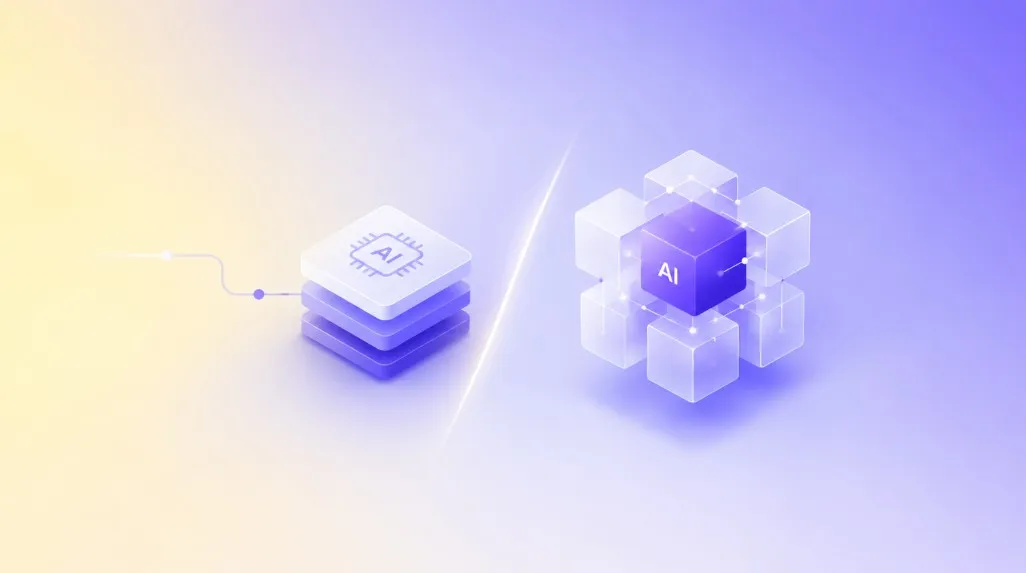
AI-native and AI-enabled software can use the same language models, cloud infrastructure, and APIs. The distinction is how deeply AI participates in the application's core functions.
What Is AI-Native Software?
AI-native software is designed around artificial intelligence as a core application capability. Its architecture incorporates model execution, data retrieval, workflow orchestration, evaluation, and access controls from the outset. Removing AI would eliminate a significant part of the product's intended functionality. AI-native applications require engineering decisions that account for unpredictable model outputs, changing data, and production reliability throughout the software lifecycle.
What Is AI-Enabled Software?
AI-enabled software integrates artificial intelligence into an existing application without fundamentally changing its core architecture. AI may support document summarization, recommendations, classification, or customer assistance while the original business workflows remain operational. This approach allows enterprises to introduce targeted capabilities without replacing established systems, provided integrations, data access, model performance, and failure handling are designed appropriately.
AI-Native vs AI-Enabled: Key Differences
| Decision factor |
AI-native architecture |
AI-enabled architecture |
| AI dependency |
Essential to core product functionality |
Supports existing functionality |
| System design |
Intelligence incorporated into core workflows |
AI connected through services or APIs |
| Data architecture |
Designed for model access, retrieval, and evaluation |
Existing data systems require integration |
| Scalability |
AI workloads can be managed independently when designed accordingly |
Depends on existing infrastructure and integration boundaries |
| Initial investment |
Requires broader architecture and platform engineering |
Usually involves a narrower initial scope |
| Long-term maintenance |
Includes models, data pipelines, evaluation, and orchestration |
Includes integration maintenance and added AI components |
| Primary risk |
Greater platform complexity and model dependency |
Architectural constraints and accumulated integration debt |
The distinction is architectural, not promotional. An application does not become AI-native simply because it uses multiple language models or autonomous agents.
Likewise, integrating AI into an existing enterprise application does not automatically make that architecture unsuitable for long-term growth.
The correct classification depends on how intelligence participates in the product's essential operations.
What is the Difference Between AI-Native and AI-Enabled Architecture?
The architectural distinction becomes visible when examining how applications process requests, access enterprise data, execute actions, and recover from failures.
AI-Native Architecture: Intelligence Within the Core Workflow
An AI-native application treats model execution as a core system responsibility.
A typical architecture contains:
-
Application interface: Receives user requests and presents results.
-
Workflow orchestration: Coordinates model calls, business rules, and approved actions.
-
Model access layer: Manages model selection, execution limits, and request routing.
-
Data layer: Retrieves authorized information from enterprise systems.
-
Execution layer: Validates and performs approved business actions.
-
Governance layer: Enforces permissions, records decisions, and monitors failures.
Each component must have defined ownership, service boundaries, and recovery behavior.
For example, an AI agent processing an insurance claim should not directly approve a payment merely because its model recommends approval.
The application must independently verify eligibility, authorization, payment limits, and required human approvals.
This separation prevents model-generated instructions from bypassing business controls.
Microsoft's AI workload architecture guidance similarly emphasizes adapting architecture to operational constraints, security, and workload requirements.
AI-Enabled Architecture: Intelligence Through Controlled Integration
AI-enabled software typically introduces an AI service between an existing application and a model provider.
The established application remains responsible for business transactions, permissions, and data ownership.
This works when AI performs a bounded task and returns a result that the existing system can validate.
However, adding multiple AI features independently can create duplicated model connections, inconsistent permissions, and fragmented monitoring.
Enterprises can address these issues through enterprise application modernization that establishes reusable integration boundaries without immediately replacing the underlying application.
When Does an AI Integration Become an Architectural Redesign?
An integration becomes an architectural concern when AI must coordinate multiple business systems, maintain workflow state, execute transactions, or access sensitive data across departments.
At that point, a simple model API connection may no longer provide sufficient control.
The application needs a defined orchestration layer, authorization checks, transaction boundaries, and recovery procedures.
AI-Native vs AI-Enabled Software: Which Architecture Scales Better?
Neither architecture automatically scales better. Scalability depends on workload isolation, model capacity, data access, concurrency, and failure recovery. AI-native software can scale model execution independently when these capabilities are designed into its architecture. AI-enabled applications can achieve comparable performance through modular integration. Both approaches require capacity planning, controlled retries, monitoring, and predictable behavior when AI services become unavailable.
Where AI-Enabled Applications Encounter Scaling Limits
An existing application may perform reliably until AI introduces additional processing time and external dependencies.
Common constraints include:
-
Synchronous model calls that delay existing transactions.
-
Shared application servers handling both deterministic and AI workloads.
-
Database queries that increase with every AI request.
-
API rate limits that interrupt high-volume workflows.
-
Model failures that propagate into otherwise functional applications.
Microsoft's guidance on model access gateways identifies throttling, failover, request routing, observability, and cost attribution as architectural concerns when multiple applications consume AI models.
How AI-Native Architecture Supports Growth
AI-native architecture can separate model execution from transaction processing and independently manage computationally expensive tasks.
That separation supports queue-based processing, workload-specific model selection, and independent scaling.
However, additional orchestration services introduce their own operating costs and failure points.
Four Production Controls That Matter
-
Concurrency limits: Prevent excessive simultaneous model requests.
-
Bounded retries: Avoid repeated requests that increase latency and inference spending.
-
Fallback paths: Preserve essential workflows when models are unavailable.
-
Workload monitoring: Track completion rates, end-to-end latency, model usage, and failed actions.
Enterprises must test these controls under representative production traffic rather than relying exclusively on successful demonstrations.
What Are the Risks of Adding AI to Existing Software Architecture?
Adding AI to existing software creates new dependencies and access paths that conventional application testing may not cover. The principal risks include unauthorized data exposure, unreliable model outputs, excessive system permissions, unstable integrations, and unpredictable operating costs. These risks become more serious when AI can execute business transactions without independent authorization, validation, monitoring, or human approval.
Five Hidden Risks Enterprise Buyers Should Evaluate
| Hidden risk |
Production consequence |
Required control |
| Excessive AI permissions |
Unauthorized access or business actions |
Least-privilege authorization and action approval |
| Untrusted model output |
Incorrect records or transactions |
Output validation and business-rule enforcement |
| Model provider dependency |
Service interruption or pricing exposure |
Provider abstraction and tested fallback procedures |
| Uncontrolled context retrieval |
Exposure of restricted enterprise information |
User-scoped retrieval and data access checks |
| Unbounded execution |
Unexpected inference costs or repeated actions |
Request budgets, execution limits, and monitoring |
The OWASP Top 10 for LLM and Generative AI Applications identifies prompt injection, sensitive information disclosure, improper output handling, and excessive agency among important application security risks.
Why Security Cannot Depend on Model Instructions Alone
A model instruction asking an AI agent not to disclose confidential information is not an authorization control.
Authorization must be enforced by the application before restricted data is retrieved or a sensitive action executes.
For enterprise systems, this means separating model recommendations from transaction authorization.
An agent can recommend a refund. The application must verify whether that refund is permitted.
This distinction matters regardless of whether the application is AI-native or AI-enabled.
A July 2026 Morning Consult survey of 3,003 US business decision-makers identified accuracy, security, and compliance as important AI platform selection criteria. The findings reinforce the commercial importance of evaluating production controls alongside AI capabilities.
How Does AI-Native Architecture Reduce Technical Debt and Scalability Risks?
AI-native architecture can reduce future reengineering when model execution, data access, and orchestration are designed as separate, maintainable components.
However, designing around AI from the beginning does not eliminate technical debt.
Poorly defined interfaces, unnecessary agent autonomy, and tightly coupled model dependencies can make an AI-native system expensive to modify.
Five Engineering Decisions That Reduce Rebuilding
1. Separate business rules from model execution.
Use deterministic application logic for authorization, financial calculations, and other operations requiring predictable results.
2. Design replaceable model interfaces.
Keep provider-specific APIs behind a controlled interface so model changes do not require rewriting business workflows.
3. Establish governed data access.
Apply user permissions before retrieval. Track data freshness, source ownership, and the information provided to each model.
For enterprises with fragmented data systems, data engineering services can establish the pipelines and access controls needed for reliable AI execution.
4. Make workflow state recoverable.
Persist execution state and transaction identifiers outside model context so failed operations can resume safely without duplicating actions.
5. Evaluate every material model change.
Maintain representative test cases covering response accuracy, policy compliance, latency, and business outcomes.
These decisions support both new AI-native products and existing applications undergoing architectural modernization.
Should Enterprises Build AI-Native Applications or Integrate AI Into Existing Software?
Enterprises should choose based on whether AI is essential to the intended business outcome, how much of the existing architecture can be retained, and the cost of maintaining either approach.
The Native/Enabled Decision Table translates those considerations into practical architectural choices.
Native/Enabled Decision Table
| Enterprise situation |
Architectural direction |
Decision rationale |
| AI supports an existing workflow without changing its core operation |
AI-enabled |
Retain functioning systems and integrate a bounded capability |
| AI is essential to a new product's primary function |
AI-native |
Design core workflows, data access, and model execution together |
| Existing systems contain essential business logic but cannot support complex AI orchestration |
Hybrid |
Preserve business systems while engineering a separate AI orchestration layer |
| AI must coordinate multiple applications and execute governed actions |
AI-native workflow layer |
Establish independent orchestration, authorization, and recovery controls |
| Legacy architecture cannot support required performance or secure integration |
Modernization or selective replacement |
Resolve structural limitations before expanding AI workloads |
| Business value remains uncertain |
Bounded AI-enabled pilot |
Validate outcomes before committing to broader architectural changes |
How to Apply the Decision Table
Start by identifying the business outcome that AI must produce.
Determine whether achieving that outcome requires changing the existing workflow or introducing a limited capability.
Next, evaluate the current application's integration interfaces, data quality, transaction controls, and performance constraints.
Finally, assess whether projected usage justifies a new architectural foundation.
For enterprises with substantial existing technology investments, digital transformation consulting can help define which systems to retain, modernize, or replace.
A hybrid architecture is not a compromise by default. It can preserve established business systems while introducing an independently governed AI layer.
The deciding factor is whether the combined architecture satisfies security, reliability, and business performance requirements without creating excessive integration complexity.
What Are the Implementation Costs of AI-Native vs AI-Enabled Applications?
The financial comparison must include initial implementation and the cost of operating and changing the application over its intended lifecycle.
AI-enabled integration often has a smaller initial scope because enterprises can retain existing interfaces, business logic, and infrastructure.
AI-native engineering requires additional upfront investment in architecture, orchestration, data systems, evaluation, and operational controls.
However, neither approach has a universally lower lifetime cost.
What Should Enterprises Include in Their Cost Estimates?
| Cost category |
What to evaluate |
| Architecture |
New system design, integration boundaries, and modernization |
| Model execution |
Token consumption, inference volume, and provisioned capacity |
| Data infrastructure |
Retrieval, storage, access controls, and data processing |
| Integration |
API maintenance, system dependencies, and transaction handling |
| Production reliability |
Monitoring, evaluation, incident recovery, and fallback mechanisms |
| Security |
Access management, testing, audit logging, and compliance controls |
| Maintenance |
Model upgrades, workflow changes, and regression testing |
How Should Enterprises Calculate Long-Term AI Costs?
Use a consistent evaluation period, such as three years, to compare alternatives.
Total cost of ownership = Initial engineering + integration + infrastructure + model usage + security + evaluation + maintenance + exception handling.
Compare that cost against measurable business outcomes, including processing cost per case, turnaround time, automation rate, and error-related rework.
An architecture that requires greater initial investment may still be financially justified when it avoids repeated integration work or supports capabilities essential to the product.
Conversely, a dedicated AI-native platform may introduce unnecessary expense when the business only needs a limited AI-assisted function.
For a detailed method of evaluating automation economics, read our guide to workflow automation ROI .
When Should Enterprises Engage an AI-Native Engineering Partner?
Engage an AI-native engineering partner when the decision extends beyond selecting a model or adding an API.
A technical assessment becomes especially relevant when existing applications cannot independently manage AI workloads, data permissions, complex workflow execution, or production recovery.
What Should an AI-Native Development Partner Assess?
Before implementation, assess whether the engineering team can establish:
-
A documented architectural decision covering native, enabled, and hybrid alternatives.
-
Defined data access, authorization, and transaction boundaries.
-
Measurable production targets for latency, reliability, and operational costs.
-
Model evaluation and regression testing procedures.
-
Clear ownership of integrations, infrastructure, security, and post-launch changes.
For enterprises evaluating AI Native development companies, these engineering responsibilities matter more than the number of AI features a provider can demonstrate.
Organizations planning a broader product initiative should also assess the partner's product engineering services , particularly its ability to connect architecture decisions with the complete product lifecycle.
For initiatives involving mobile delivery, our overview of mobile app development companies in USA provides additional context for evaluating application engineering partners.
How Quokka Labs Approaches AI-Native Engineering
Quokka Labs is an end-to-end AI-native engineering and solutions company with 15+ years of engineering expertise.
Our approach is solution-first: we start with your business problem, define the appropriate architecture, and engineer the system through secure deployment.
Through our Ai Native Engineering services , we help enterprises assess AI integration opportunities, design governed application architectures, and modernize systems that cannot support their intended AI workloads.
The objective is not to replace functioning software unnecessarily. It is to establish an architecture capable of supporting the business outcome while maintaining defined controls over data, execution, reliability, and operating costs.
Book a Free AI Architecture Review
Your next AI investment should begin with an architectural decision, not an assumption that every application must become AI-native.
Frequently Asked Questions - AI native vs AI enabled
1. Should my enterprise build an AI-native application or add AI to our existing software?
Choose AI-native when AI is central to the product or workflow. Choose AI-enabled when you need targeted capabilities without replacing stable systems or business logic.
2. How do I know if my current software architecture can support AI at scale?
Review model latency, API limits, data access, concurrency, security controls, fallback paths, and monitoring. If these cannot scale independently, architectural modernization may be necessary.
3. Is AI-native architecture more scalable than AI-enabled software?
Usually, AI-native architecture offers greater control over model workloads, orchestration, and data flows. AI-enabled software can still scale well when integrations are modular and properly isolated.
4. What risks should I expect when adding AI to an existing enterprise application?
Key risks include data exposure, excessive permissions, unreliable model outputs, integration failures, vendor dependency, uncontrolled inference costs, and technical debt from poorly designed AI integrations.
5. Will AI-native development cost more than adding AI features to existing software?
AI-native development often requires higher upfront architecture investment. However, repeated integrations, modernization work, and maintenance can make poorly designed AI-enabled systems more expensive over time.
6. How can I reduce technical debt when adding AI to my existing product?
Separate models from business logic, create reusable AI service layers, control data access, design fallback workflows, and test model changes before expanding AI across the application.
7. When should I hire an AI-native engineering company instead of handling AI integration internally?
Consider an AI-native engineering company when AI affects core workflows, multiple systems, sensitive data, production reliability, or long-term architecture—not just a single isolated AI feature.