Low-code and no-code platforms help startups and enterprises build products, automate workflows, and validate ideas faster. But choosing the right platform requires more than comparing drag-and-drop features.
Teams evaluating low code no code platforms should consider scalability, integrations, security, data ownership, and future customization. The right no code low code platforms can accelerate delivery, while low code platforms for web development are especially useful when speed matters without sacrificing flexibility.
If your roadmap includes AI, automation, or deeper integrations, Quokka Labs’ AI Consulting Services can help define the right architecture before you build.
Build Faster Without Creating a Tech Ceiling
Choose the right mix of low-code, no-code, custom engineering, and AI for your product roadmap.
What is Low-Code or No-Code?
- Low code
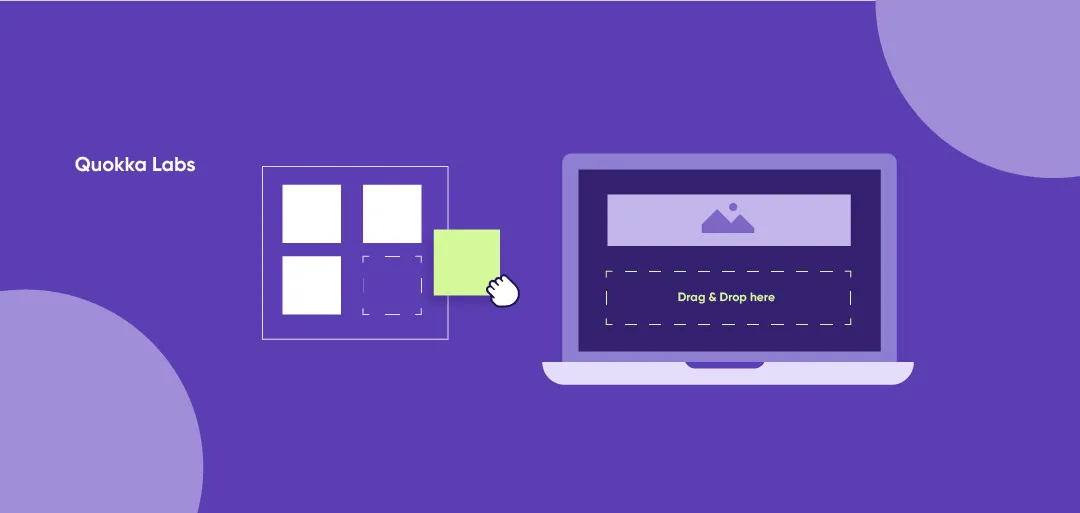
Low-code development uses visual builders, reusable components, workflow logic, and prebuilt integrations to reduce the amount of hand coding required. It is commonly used when product and engineering teams need faster delivery but still require APIs, custom logic, governance, or extensibility.
- No-Code
No-code development is designed to let non-developers create applications through visual interfaces and predefined components. A no-code development platform can be useful for internal tools, early-stage products, approval workflows, dashboards, and operational applications where speed is more important than deep architectural control.
For CTOs and product leaders, the real question is not simply, “Can we build this without code?” It is, “Will the platform still fit when the application needs more users, enterprise integrations, AI capabilities, security controls, or custom workflows?”
That is why many teams use no code low code platforms for validation and then combine them with Product Engineering Services as requirements mature.
When AI is part of the roadmap, AI-Native Development Services can help teams design intelligence into the product architecture from the start instead of adding disconnected AI features later.
If you want to discover the rise of no-code/low-code app development, check out our blog on low & no-code app development benefits and challenges.
Advantages of Low Code No Code Platforms
- Higher efficiency
- Diminished cost
- Improved business agility
- Higher productivity
- Effective risk management
- Effective Governance
- Better user experience
- Quicker change
- Faster transformation
For business buyers, the biggest advantage is speed to validated value. The best low code development platforms can help a team prove a workflow, test user demand, digitize manual operations, or launch an internal application without waiting for a full custom build cycle.
At the same time, low code no code tools should be evaluated against long-term requirements such as data portability, API limits, observability, role-based access, vendor lock-in, performance, and compliance.
For operations-heavy use cases, a no code integration platform can connect systems quickly. When those workflows begin requiring intelligent routing, document understanding, approvals, or multi-system execution, AI Workflow Automation Services can extend automation beyond fixed rules.
Ready to Scale Beyond Low-Code or No-Code?
If your workflow is hard to scale, Quokka Labs can identify architecture, integration, and security gaps.
How to Choose a Low-Code or No-Code Platform for a Business-Critical Product
Start by defining what you are building. An experiment, internal tool, customer-facing product, and enterprise system have very different requirements.
| Use Case |
What to Prioritize |
| MVP or experiment |
Speed, ease of use, low setup cost |
| Internal tool |
Workflow flexibility, permissions, integrations |
| Customer-facing product |
UX, performance, authentication, scalability |
| Enterprise application |
Security, governance, APIs, auditability, ownership |
For customer-facing products, low code platforms for web development should be evaluated beyond visual design. Look at backend flexibility, authentication, API performance, deployment options, and support for custom code.
If you are building a differentiated SaaS or web product, Quokka Labs' Web Application Development Services can support areas where visual builders become limiting.
What Should You Evaluate Before Choosing a Platform?
Teams comparing no code app development platforms should look beyond drag-and-drop convenience.
| Evaluation Area |
Questions to Ask |
| Scalability |
Can it handle 10x users, traffic, and data? |
| Integrations |
Does it support the APIs and systems you need? |
| Security |
Are authentication, permissions, and compliance sufficient? |
| Data ownership |
Can you access, export, and migrate your data easily? |
| Customization |
Can developers add custom logic when needed? |
| Testing |
Does it support staging, testing, and version control? |
| Governance |
Are audit logs and access controls available? |
| Migration |
Can you move away from the platform without rebuilding everything? |
A no code application development platform may be enough for an MVP, but startups and growing companies should consider what happens when usage, integrations, and product complexity increase significantly.
There is No Universal "Best" Platform
The best low code web app builder depends on your use case.
| Business Type |
Typical Requirements |
| Marketing operations |
Automation, CRM integrations, dashboards |
| Healthcare |
Security, compliance, workflow controls |
| Logistics |
Real-time data, integrations, operational workflows |
| B2B SaaS |
Scalability, APIs, multi-tenancy, custom UX |
| Enterprise IT |
Governance, security, legacy-system integration |
If your roadmap includes predictive analytics, recommendations, classification, or other model-driven features, Quokka Labs' AI & Machine Learning Services can help integrate those capabilities directly into your application workflows.
Explore Top 10+ Low Code No Code Platforms
- Visual Lansa
- Caspio
- Appian
- Zoho Creator
- Mendix
- Outsystem
- Quickbase
- Linx
- Creatio
- Bubble
1. Visual Lansa
Visual LANSA is a low-code, Integrated Development Environment (IDE). It permits users/clients to construct apps on Windows OS, browsers, and cell phones for AWS and Azure cloud structures.
Features of Visual Lansa-
- A hybrid low-code IDE fosters web, desktop, and mobile applications
- A great UI to save time and cost
- Controls for comprehensive testing and integration
- It combines traditional coding and low-code in the same IDE
- This Permit to chip away at any piece of an application and increment yield without adding headcount or recruiting designers
- It can change your manual and paper-based processes into web, cloud, and desktop apps
- Take your applications to the cloud anytime for better readiness and flexibility
- It impacts every business area by conveying efficiency, control, and advancement
- Its repository stores the parts that are fundamental to application improvement
- It allows you to use the components and modules to reduce time and improve efficiency.
Platform: Cloud, IBM I, Windows
Price: Basic plan starts at $999.00 per month, and the Standard plan starts at $4999.00 per month, Free Trial Available
2. Caspio
Caspio is one more fantastic choice for building cloud applications without coding. This development platform is appropriate for making versatile, reliable, and secure web applications.
Features of Caspio-
- It can assist you by arranging the database design, client/user permissions, and many more.
- Caspio's deployment model is perfect for both public and internal applications.
- It allows you to make an endless no. of online database applications in different use cases.
- It utilizes its tool for the visual improvement process. It configures cloud applications with structures, dashboards, and reports.
- This smooth point-and-click tool allows you to develop, create, and update your apps.
- It can modernize your applications with data representation using incorporating reports and schedules.
- You can also build area-based apps using Caspio's distance search, map joining, geocoding, etc.
- It utilizes encrypted password technology, record-level consents, IP-based admittance controls, single sign-on, and offers access logs, TLS information encryption, and review trails.
- It's consistent with HIPAA, FERPA, PCI DSS Level 1, and accessibility consistency like WCAG and ADA.
- Coordinate your application with services like AWS S3, Google Drive, and Zapier with 2k+ integration. You might alter the applications with REST API, CSS, HTML, SQL, and JavaScript.
- It runs on SQL Server and AWS to give the top-tier innovation stack for execution and security.
- Caspio's visual application manufacturer guides you in each part of building cloud-based applications.
Platform: Web Windows, Mac, Linux
Price: Explore plan: $128/year or $150 monthly; Build plan: $255/year or $300 monthly, Free Trial Available
3. Appian
Appian is a low-code application that has a simple design to foster software. It assists you in automating your association's work. Appian permits clients to make business process management BPM applications for organizations. BPM programming helps firms in arranging and streamlining business processes.
Features of Appian-
- Make it simple to use a UI(user interface)
- You can use one design across many stages, including Mac, PC, Android, and iOS.
- A low-code platform with native deployment tools and DevOps coordination prospects
- One of the mind-blowing low-code platforms with the expectation of complimentary. It empowers you to help business results utilizing AI (Artificial Intelligence)
- Appian Python's low code empowers you to plan your plan design
- No-code AI/ML platform coordination through Google Cloud, AWS, and Microsoft Azure
- It's capacity to coordinate venture data/information, frameworks, and web services.
Platform: Cloud, Windows, Mac, Linux UNIX, Solaris, etc.
Price: Basic Plan starts at $75.00 per feature per month. They do not have a free version, Free Trial Available.
4. Zoho Creator
Zoho Creator is a tool that assists you in building software with no preparation and messy code. It empowers you to change over business rationale into a practical work process. This software gets coordinated with PayPal, QuickBooks, and Zapier .
Features:
- Zoho Creator makes everything fast, simple, and secure.
- It is one of the best platforms that assist you with building apps broadening and incorporating their usefulness.
- This platform is adaptable and easy to understand, joining many functionalities with an engaging UI.
- It offers tweaked, custom-made arrangements so you can build the apps you conceptualized.
- You can construct multi-stage apps from moderate call logs to ERPs equipped to incorporate your ongoing cycles.
- Speed up your application improvement process with their automatic code editors, pre-formats, etc.
- You can arrange and mechanize work processes in your apps with primary cycles and steps.
- It permits customers to build applications by bringing records and distributed storage information. We can also use the build-in devices to alter the UI to their necessities.
Platform: Cloud,iOS, Android,PWA.
Price: Professional Plan: $25/user/month and Ultimate Plan: $400/month, Free Trial Available
5. Mendix
Mendix offers process mechanization through applications that bring systems, information, and individuals together. Use your creative mind to create apps that save time for big businesses that assist organizations as expected.
Features:
- It's a low-code stage that anybody can use to work on their business by offering quality apps without including code intricacies.
- You can coordinate rationale and info from any source or framework. It makes your applications extensible and open for various platforms and models.
- You can make applications to serve different businesses, including SAP inventory network processes, high-esteem resource field administration, hardware support, operations, AI savvy banking, and more.
- This low-code application improvement platform will assist you with making better-quality programming via robotizing and abstracting the advancement interaction.
- Enable co-creation in a different range by utilizing devoted IDEs and a specific visual language to meet your business needs.
- You can fabricate a portable, challenging, and versatile application without coding mastery. And afterward, convey it anyplace with a click.
- Mendix offers a few devices for testing, creating, and deploying applications. Mendix utilizes model-driven engineering (MDE), which centers around dynamic demonstrating.
Platform: Windows, Web, Linux, Android, iOS, and Windows phone.
Price: Single App plan: Starts at $1875/month, Pro: Starts at $5375/month, and Enterprise: Starts at $7825/month, Free Trial Available (The community version)
6. Outsystem
With OutSystems, organizations can make applications for different platforms. The platform's essential elements incorporate constant execution dashboards and robust safety measures.
Features:
- It offers many benefits and collaborative tools to deliver secure, adaptable, and robust apps.
- Its fast, versatile application arrangement and monitoring
- Observes and reporting of application use and execution
- It empowers you to make rapid, model-driven developments utilizing the cloud and AI
- Easy to deal with application backlog, updates and convey cloud apps to drive advancement
- It speeds up and rearranges application lifecycle streamlining. It offers the most recent cloud technology and adds new elements and abilities
- Includes a simplified UI, information models for full-stack creation, and cross-stage applications
- You can refresh and deploy applications with a single click. Make your applications higher caliber by using client input and feedback from the applications
- Break down models and refactor conditions utilizing OutSystems. It assists you with building apps with native device/gadget access, on-gadget logic, and offline mode data sync.
Platform: Windows, Web, Mac, Linux, Android, iOS.
Price: The enterprise plan: Starts at $6250/month, and the Universal plan: Starts at $15000/ month, Free Trial Available
7. Quickbase
With Quickbase, you can unlock the max capacity of your business activities by consolidating this platform. We can fabricate top-caliber, result-driven applications that associate thoughts, data, and individuals everywhere.
Features:
- It speeds up your business processes, so you convey quality applications in fast completion times.
- It ensures data security and integrity and lets you keep control of your business.
- This platform assists you unite your business, IT groups, developers, and engineers so they can advance, sustainable, and secure apps
- It liberates you from the heritage system and gives you a bunch of capacities created to cooperate and work on your apps.
- It tracks every progression made so you can audit, discard, or publish the advances. Try not to stress over administrative consistence and security as Quickbase.
- It has acquired rigid capability confirmations and certificates like HIPAA, DFARS, SOC 1 and 2, and EU-US Privacy Shield.
- You can integrate your applications with services like Slack, DocuSign, Salesforce, Bill.com, Gmail, etc.
- It is the ideal LCDP for one who wishes to make data assortment and storage applications.
- It incorporates cloud-based arrangements like NetSuite, Box, and Gmail through prebuilt application connectors.
- Quickbase includes consent and granular jobs, corporate client the board, and a hearty UI for security.
Platform: Windows, Web, Android, iOS.
Price: Premier plan starts from $25/user/month and the Platform plan at $40/user/month, Free Trial Available
8. Linx
Linx is a development tool for the fast turn of events and back-end applications like APIs, integration, and robotization.
Features:
- It can Implement your business logic with info from your docs, frameworks, data sets, and APIs.
- A unique plugin architecture diminishes 1000s of lines of code to a solitary visual function with properties.
- It requires no need for information or skill in a particular language or system. We can coordinate with many APIs and services in minutes.
- Its solutions get sent with a single click to servers running in the cloud or on-premise.
- Cut-off checking, monitoring access control, and forming are standard with this platform.
Platform: Windows and Mac
Price: Self-support pack starts from $349/YEAR, Standard $799/YEAR AND Premium $ 1,299, Free Trial Available
9. Creatio
Creatio is a Software as a service (SaaS) low-code platform for process and customer relationship management( CRM ). It can implement rules, automate tasks, and third-party integrations.
Features:
- BPM engine to manage structured and unstructured processes
- You can create KPI dashboards, multi-user portals, searchable databases, location-based apps, etc
- It allows you to import or export data using connectors from Caspio to other cloud repositories like FTP, AWS, Dropbox, and more
- Caspio's visual app builder guides you through every aspect of building accurate cloud-based apps
- AI/ Machine learning tools speed up processes, make data-backed decisions, and simplify the analytical work.
- Customize your apps with standard technologies like CSS, HTML, and REST API
- It provides features to streamline customer engagements and speed up service delivery.
- Caspio's deployment model is perfect for both public-facing and internal applications.
- This platform is the best-in-class technology stack on AWS and SQL Server
Platform: Windows, Web, Mac.
Price: Enterprise Edition starts from $25/ user/month, Free Trial Available
10. Bubble
The Bubble can be the quickest method for fostering an application without composing a single line of code. Moreover, YouTube guarantees to smoothen the expectation to learn and adapt with this unique platform.
Features:
- It enables non-technical people to build web applications without needing to type code.
- Its simplified connection point gives you incredible command over the design components.
- You can set up the application logic to conclude what occurs on each screen as a client/user navigates inside.
- Bubble keeps things fascinating with its comprehensive library of visual components. It permits secret password safeguarded logins in any OAuth 2.0 viable user verification system like Google and Facebook.
- You have an unlimited opportunity to expand the usefulness with javascript and API combinations.
- The applications you create are adaptable as per your crowd development. You can follow the application use limits, site design changes, and Stripe and Braintree to simplify payment.
- This no-code stage guarantees immaculate cooperation with its entrance-controlled joint effort.
- The Bubbles is a facilitated web application across the board manufacturer. I give unlimited plan opportunities to its users/clients with no code.
- It permits you to make web application designs without having any information on CSS or HTML. Typical web applications expect you to handle the code and set up a sending cycle to a web server.
- Its strong Bubble CMS is also simple to associate with other front-end advancement devices.
Platform: Windows, Android, iOS.
Price: Proficient plan starts from $129 /month, and the Creation plan starts from $529/month, Free Trial Available
Have a low-code MVP ready to scale?
Quokka Labs can add the AI, integrations, and engineering needed for the next stage.
Conclusion
Low-code and no-code platforms can speed up product validation, workflow automation, and MVP development. But the right choice depends on scalability, security, integrations, ownership, and long-term product needs.
Low code platforms for web development and no code app development platforms work well for many use cases, but growing products may eventually require custom engineering.
Before choosing a no code application development platform or no code integration platform, assess APIs, data ownership, performance, and migration options.
Frequently Asked Questions
1. Can low-code and no-code apps scale for enterprise use?
Yes, but scalability depends on the platform, architecture, workload, integrations, and data volume. Enterprise teams should evaluate performance limits, API capacity, deployment options, monitoring, and costs at higher usage before committing to a platform long term.
2. Are low-code and no-code platforms secure enough for enterprise applications?
Enterprise-grade platforms can provide strong security controls, but security still depends on configuration and governance. Businesses should review access controls, data protection, audit logs, compliance certifications, integrations, and how sensitive information is handled. Security becomes even more important when AI is added to business-critical workflows.
3. When should you move from low-code or no-code to custom development?
Move when the platform starts limiting performance, integrations, product differentiation, compliance, or business growth. Rising licensing costs and excessive workarounds can also signal that the application has outgrown its original platform.
4. Can low-code platforms integrate with legacy systems and existing APIs?
Yes. Many platforms provide APIs, connectors, and integration tools for CRM, ERP, databases, SaaS applications, and other systems. However, legacy systems, real-time data flows, complex authentication, or custom business logic may require additional engineering beyond what standard connectors provide.
5. How can businesses avoid vendor lock-in with low-code platforms?
Before selecting a platform, check whether you can export your data and source code, use external databases and APIs, control hosting, and migrate business logic elsewhere. Teams should also understand what happens to the application if they stop using the platform. Planning an exit strategy early can prevent expensive migration problems later.
6. Is low-code cheaper than custom software development?
Low-code often reduces initial development time and cost, but licensing is only part of the total expense. Businesses should also calculate integrations, premium features, hosting, training, governance, maintenance, and costs as users or transactions increase. For long-term products, compare total cost of ownership rather than only the initial build price.
7. Can low-code and no-code platforms support AI applications and automation?
Yes. Many platforms can connect with AI models, APIs, automation tools, and enterprise data to support assistants, document processing, intelligent workflows, recommendations, and other AI features.
Tags
No-code development
low-code app development